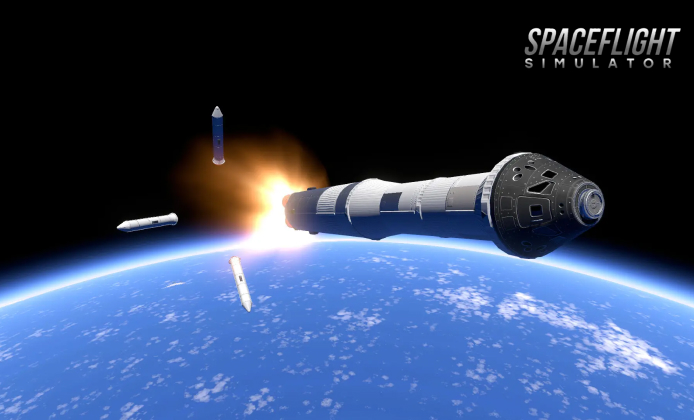
Designing a stable rocket is equal parts creativity and problem-solving, and playing on a computer can make that process feel clearer and faster. A bigger screen helps you inspect tiny gaps, align engines, and spot wobble before it turns into a dramatic midair breakup. If you enjoy tinkering, iterating, and learning from spectacular failures, this guide will help you get comfortable with the desktop experience.
On Windows, the Spaceflight Simulator PC game can feel smooth and responsive even on everyday setups, especially after a few small tweaks. Start by closing heavy background apps, keeping your graphics drivers updated, and testing a couple of display modes until camera movement looks stable. If your craft becomes massive, reduce visual effects first rather than lowering the simulation pace, because consistent timing makes docking and reentry practice much easier.
Controls That Make Building Easier
Desktop controls are all about precision. A mouse lets you select parts quickly, and keyboard shortcuts can speed up repeating actions like staging checks and camera resets. If you use a trackpad, increase pointer sensitivity slightly so micro-adjustments don’t feel sluggish.
- Use zoom frequently to validate connections, fuel routing, and symmetry.
- Pause before staging to confirm which engines will ignite and which tanks are feeding them.
- Save versions of your craft with clear names so you can roll back after experiments.
For a clean setup, a verified Spaceflight Simulator for PC download should come from official platforms and reputable publishers, always. Once installed, open the settings menu and tune camera speed, UI scale, and any input options so building feels comfortable. A couple of minutes of setup can prevent hours of misclicks and “why did that decouple?” confusion.
Build Smarter Rockets with a Simple Checklist
Most early failures come from three things: instability, poor staging order, or lack of control authority. A practical way to improve quickly is to build in small steps: test the first stage alone, then add the second stage, then add payload and fairing. That way, you learn what each addition changes.
- Start with a wide base and keep heavy fuel low to reduce tipping.
- Add steering or stabilization early, then verify it still works when the rocket grows.
- Place separation events where they won’t collide with your active engines.
With a mouse-and-keyboard workflow, Spaceflight Simulator on PC becomes a precise engineering sandbox for iterative design, fast. When you’re practicing, keep your goals small like a stable ascent to a safe arc before aiming for complicated missions. Mastering basic launches first makes orbital planning feel far less intimidating.
A reliable rule of thumb is to change one thing at a time, then test again, calmly.
Performance Tips for Bigger Craft
As your designs grow, performance can drop because the simulation has more parts to track. If you notice stutters, reduce complexity by using fewer segments, simplifying stacked components, and trimming decorative extras. Also consider testing your vehicle in sections; sometimes a payload is stable, but the booster isn’t.
If you want to learn without committing money right away, Spaceflight Simulator on PC for free may be available through time-limited trials or promotional access, occasionally. When trying a trial, focus on fundamentals: staging, control, and safe reentry practice. Those skills transfer directly when you later expand into more advanced builds.
Common Issues and Quick Fixes
Small problems can look like big ones in a physics-heavy game, so it helps to diagnose systematically. If a rocket veers, check symmetry and thrust alignment; if it tumbles, add stabilization and reduce draggy parts; if docking fails, slow down and approach from a predictable line.
| Symptom | Likely Cause | Practical Fix |
|---|---|---|
| Rocket tips on liftoff | Center of mass too high | Widen base, move fuel lower, add stabilization |
| Stage separation hits the craft | Bad decoupler timing or layout | Separate earlier, add spacing, re-check staging order |
| Reentry burns up too fast | Steep angle and high speed | Use a shallower trajectory and bleed speed gradually |
For budget-minded players, Spaceflight Simulator for PC free to download can appear during special promotions, but it is worth checking the terms carefully. Stick to legitimate sources and avoid “too good to be true” installers that bundle unwanted software. A clean install keeps your system stable and your saves safe.
Planning Missions That Actually Work
Once you can reach orbit consistently, missions become much more enjoyable. Start with simple objectives like placing a small satellite, then work toward rendezvous practice. Use consistent naming for stages and payloads so you can track which design changes helped.
When you are ready to reinstall or move to a new machine, Spaceflight Simulator download for PC is easiest when you keep your account details and save backups organized, beforehand. Copy your saves to a safe folder, and label them by mission type, such as “Orbit Tests” or “Landing Practice.” This habit prevents losing your best designs to a single mistake.
Safer Download Habits
It can be tempting to chase random links when you just want to play quickly, but safer habits save time in the long run. Prefer official stores, read basic reviews, and keep your system protected. If a site demands strange permissions or pushes extra installers, leave immediately.
For users comparing options, Spaceflight Simulator for free for PC download sometimes gets mentioned in community discussions, yet the safest path remains official distribution channels, consistently. Community forums are great for building tips and mission ideas, but downloads should be treated with extra caution. Your computer will thank you.
Make Your Builds Easier to Manage
As your hangar fills up, organization becomes a superpower. Create a folder-like naming pattern for craft, such as “Booster-Heavy,” “Lander-Light,” and “Station-Modules.” You’ll iterate faster because you can find proven components without rebuilding from scratch.
Even if a Spaceflight Simulator for PC download for free offer looks legitimate at a glance, you should still verify the publisher name and file origin carefully, first. If anything feels off, choose a more trusted option and move on. A secure setup helps you focus on what matters: testing, learning, and launching smarter missions.
With a thoughtful approach to building, testing, and mission planning, you can turn small prototypes into reliable spacecraft that reach orbit with confidence. Keep experimenting, keep your saves tidy, and treat failures as data because every explosion is feedback you can use.
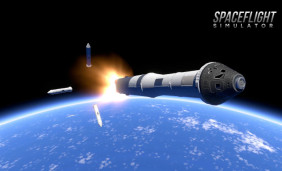 Spaceflight Simulator on PC: Build Rockets and Missions
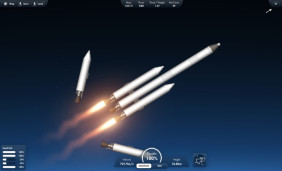 Spaceflight Simulator Latest Full Version: What You Get, How to Update, and How to Play Safely
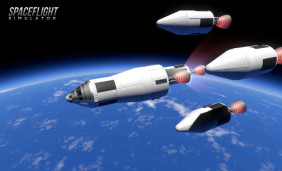 Mastering Mobile Rocket Builds: A Safe Guide to Spaceflight Simulator APK
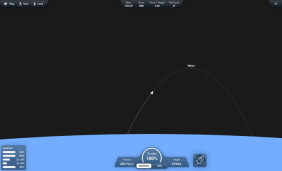 Launch Big Missions on a Small Budget: Spaceflight Simulator for Free
 Unlock the Secrets of Space: Pro Tips for Spaceflight Simulator Enthusiasts
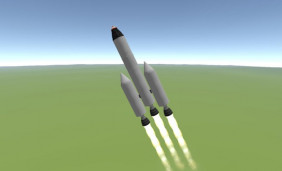 Expanding Your Galactic Horizons: Top Games Like Spaceflight Simulator