Mobile rocketry is at its best when you can iterate fast, test designs, and learn orbital mechanics by doing. For many players, Spaceflight Simulator APK simply describes the package format Android uses to install apps, and understanding that format helps you stay safe while you explore new missions. Whether you’re aiming for a clean lunar landing or a stable space station, the smartest approach starts with trusted sources, careful permission checks, and a simple backup routine for your saves.
What an APK Is (and Why It Matters)
An APK is an Android installation file that contains the app code, resources, and signature metadata. That signature is important: it’s how your device verifies that an update truly comes from the same publisher and hasn’t been altered.
- Source: Where the file comes from affects risk and update reliability.
- Signature: A mismatched signature can block updates or indicate tampering.
- Permissions: Excessive permissions can signal unwanted behavior.
Choosing a Safe Source for Installation
When people search for Spaceflight Simulator APK for Android download, the safest recommendation is to start with official distribution channels because they include automated scanning and verified publishing controls.
| Option | Best for | Main risk | Practical tip |
|---|---|---|---|
| Google Play | Automatic updates and scanning | Low, but still watch clones | Verify developer name and reviews pattern |
| Developer’s official page | Direct announcements and changelogs | Medium if mirrors are involved | Confirm the domain and check file details |
| Third-party stores | Regional availability edge cases | Higher chance of repacks | Avoid anything that demands extra installers |
A Clear Warning About Modified Packages
Any app installer that asks you to disable protections, install a “helper” app, or grant unusual permissions should be treated as a red flag. Some sites advertise a Spaceflight Simulator unlocked APK, but modified packages are a common vehicle for malware, intrusive ads, or account theft, and they can also break updates and cloud saves.
Pre-Install Checklist for a Smooth Launch
- Backup saves: If the game supports local files, copy them to a safe folder or cloud drive.
- Check storage: Leave extra free space for updates, caches, and screenshots.
- Review permissions: Be skeptical of requests unrelated to gameplay.
- Keep protections on: Use built-in scanning features where available.
Before you download Spaceflight Simulator game APK, take a moment to confirm the publisher identity and compare version notes with an official changelog so you don’t install an outdated or repackaged build.
Installation Steps That Keep You in Control
Android’s security model is designed to prevent silent installs, which is good news for your device. If you’re sideloading, keep the process simple and reversible, and avoid any source that adds extra steps unrelated to installing the app.
- Use a file manager you trust to locate the installer.
- Grant “install unknown apps” only to the specific app handling the install, then turn it back off afterward.
- Open the app once and confirm it behaves normally before signing in anywhere.
In practice, you’ll see the term APK Spaceflight Simulator used in guides that discuss sideloading basics, but the best experience usually comes from the most official path that still fits your device and region.
On most modern phones, you can install Spaceflight Simulator APK safely by approving the single Android prompt, and then immediately restoring the setting so no other installers can run without your knowledge.
Troubleshooting Common Issues
If something goes wrong, these fixes solve the majority of install and launch problems:
- “App not installed” error: Often caused by a signature mismatch or conflicting previous version; uninstall the old copy first if it’s safe to do so.
- Crashes on launch: Clear cache, reboot, and ensure your Android version meets the app requirements.
- Stuck on loading: Check storage space and disable aggressive battery optimization for the game.
- No updates available: Official stores handle updates best; sideloaded builds may require manual updating.
Staying Safe While You Play
Spaceflight challenges should come from physics, not from risky downloads. Stick to reputable sources, avoid modified builds, and keep your device protections enabled so you can focus on designing efficient stages, managing delta-v, and perfecting re-entry profiles.
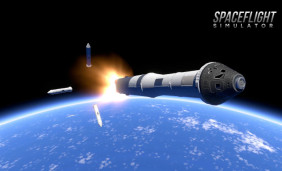 Spaceflight Simulator on PC: Build Rockets and Missions
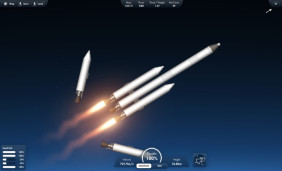 Spaceflight Simulator Latest Full Version: What You Get, How to Update, and How to Play Safely
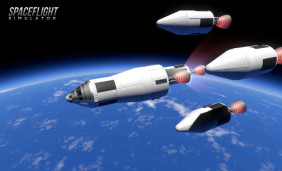 Mastering Mobile Rocket Builds: A Safe Guide to Spaceflight Simulator APK
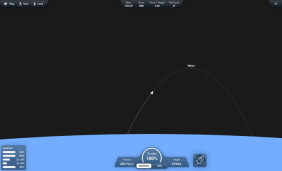 Launch Big Missions on a Small Budget: Spaceflight Simulator for Free
 Unlock the Secrets of Space: Pro Tips for Spaceflight Simulator Enthusiasts
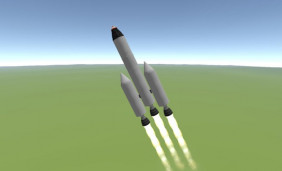 Expanding Your Galactic Horizons: Top Games Like Spaceflight Simulator